Catch artwork mistakes
before they reach the printer.
LookExpress compares every version of your artwork, flags exactly what changed, and takes it through team review and customer approval in one place.
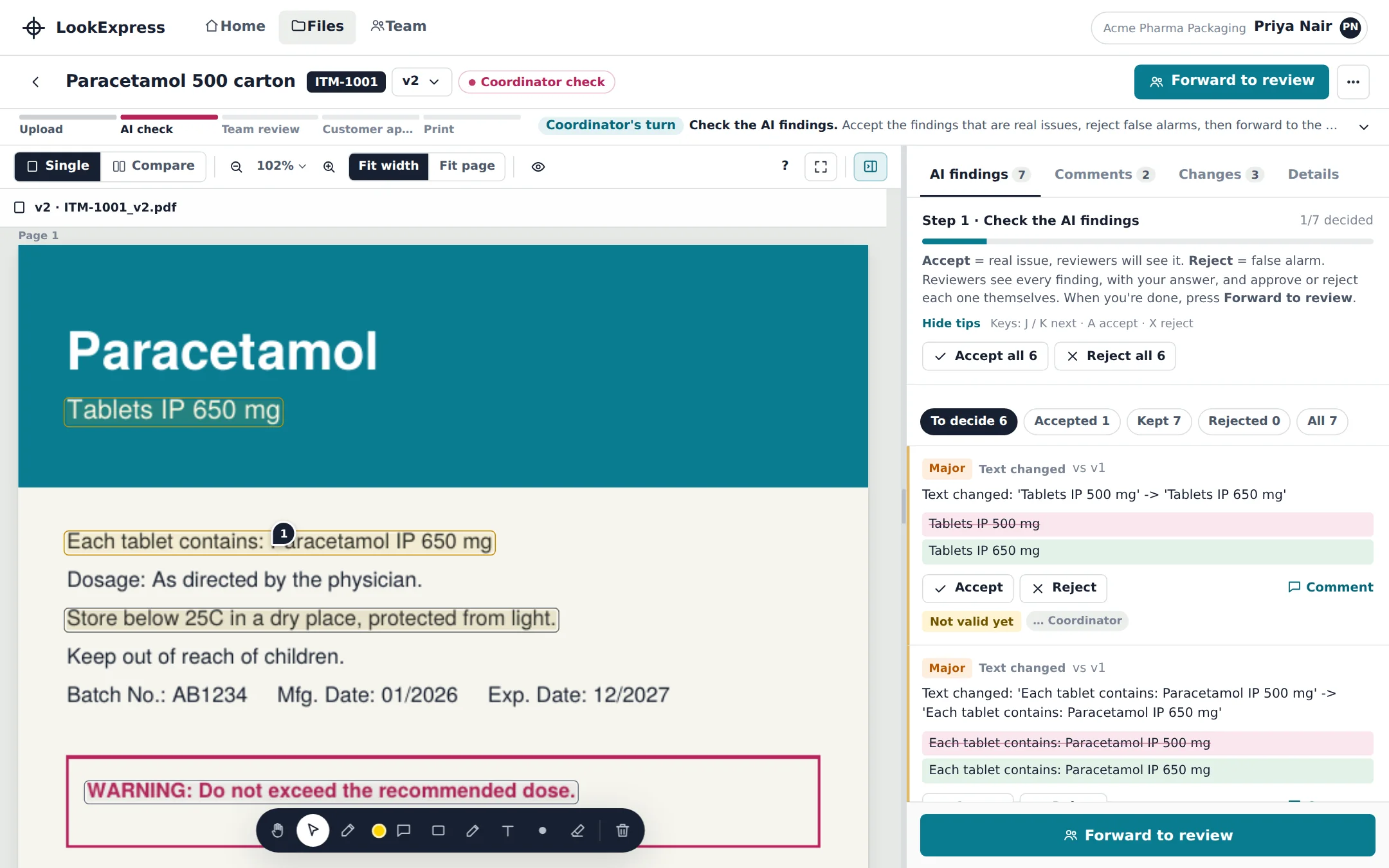
One wrong number on a carton can mean a full reprint.
Most artwork errors are not design errors. They happen in the handover between people and versions.
Nobody sees what moved
A strength changes from 500 mg to 650 mg between v1 and v2. Comparing two PDFs by eye is how it slips through.
Comments live everywhere
Email threads, chat messages and marked-up screenshots. The final decision is spread across all of them.
Approval you cannot show
When something goes wrong at print, it is hard to prove who approved which version, and when.
From upload to print, in five steps.
Every artwork follows the same path, and everyone can see where it is and whose turn it is.
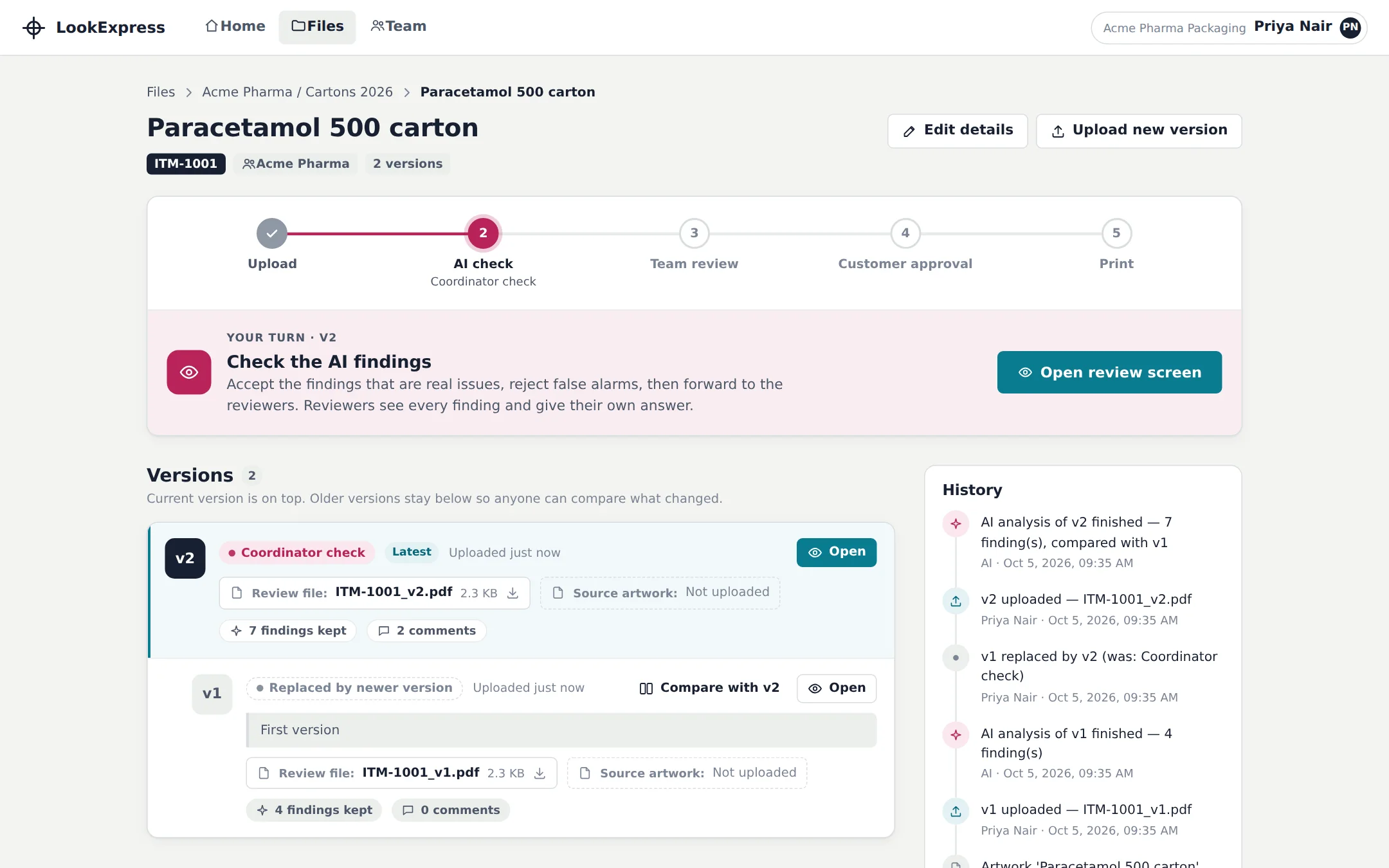
Upload
Add the review PDF or image, and the source file if you have it.
AI check
Text, numbers, barcodes and rules are checked against the previous version.
Team review
The coordinator confirms the findings and forwards them to reviewers.
Customer approval
The customer approves or rejects from a secure link. No account needed.
The approved version is sent to print and locked.
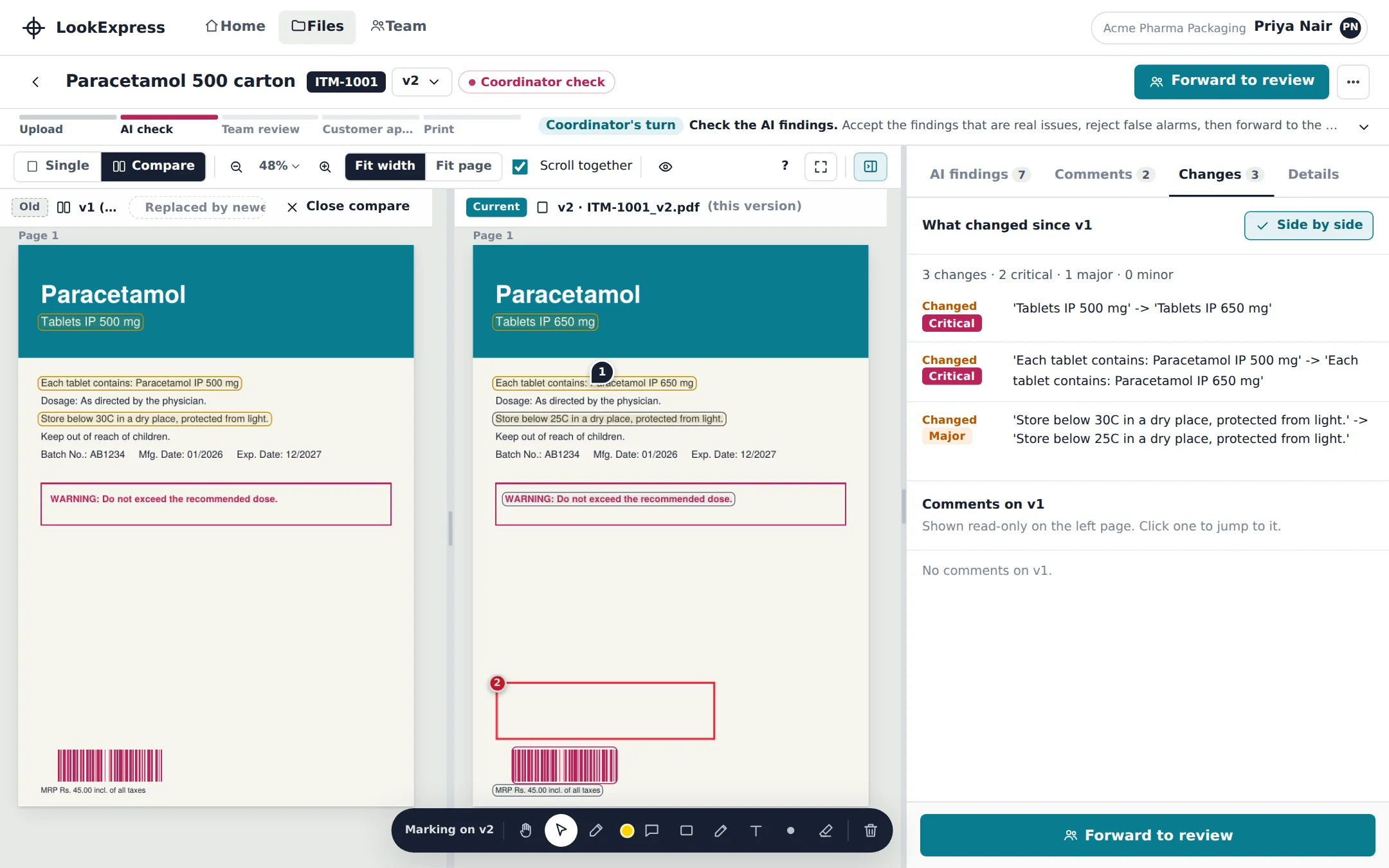
See exactly what changed between versions.
Put two versions side by side. Every difference is listed and rated Critical, Major or Minor, so a changed dose or storage temperature is never buried.
- Old and new artwork scroll together
- Text changes shown as before and after
- Comments from earlier versions stay visible
Every comment, pinned to the artwork.
Reviewers accept or reject each finding, drop comments exactly where the problem is, and draw boxes or notes right on the page. The coordinator sees all feedback in one list.
- Accept or reject every AI finding with a note
- Pin comments and draw markup on the artwork
- Send the valid changes to your graphic artist
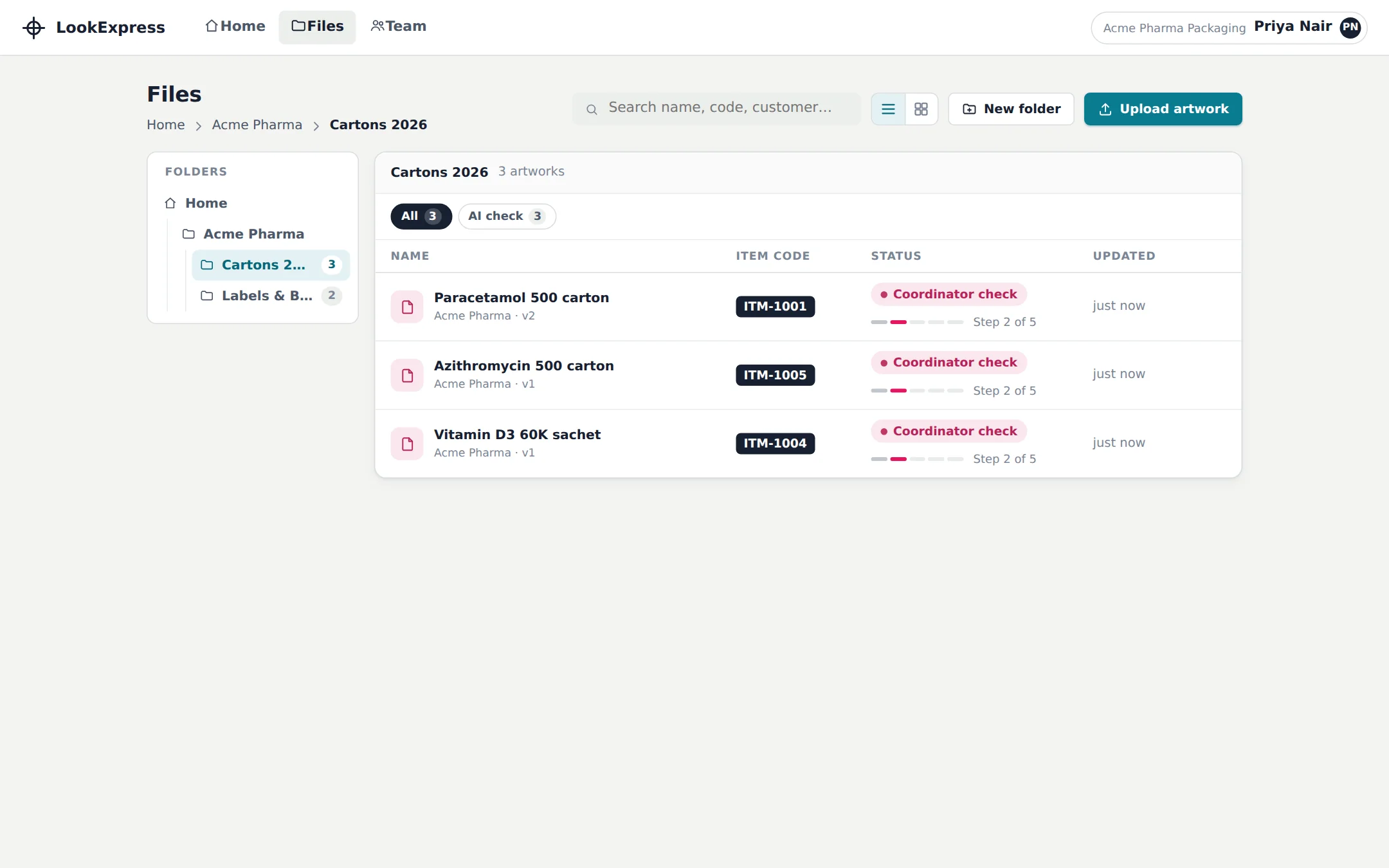
Every artwork, organised by customer and product.
Folders, item codes and status at a glance. Find any artwork and any past version in seconds, instead of searching mailboxes.
- Folders by customer, product line or year
- Search by item code or name
- Full version history for every item
The right people, with the right access.
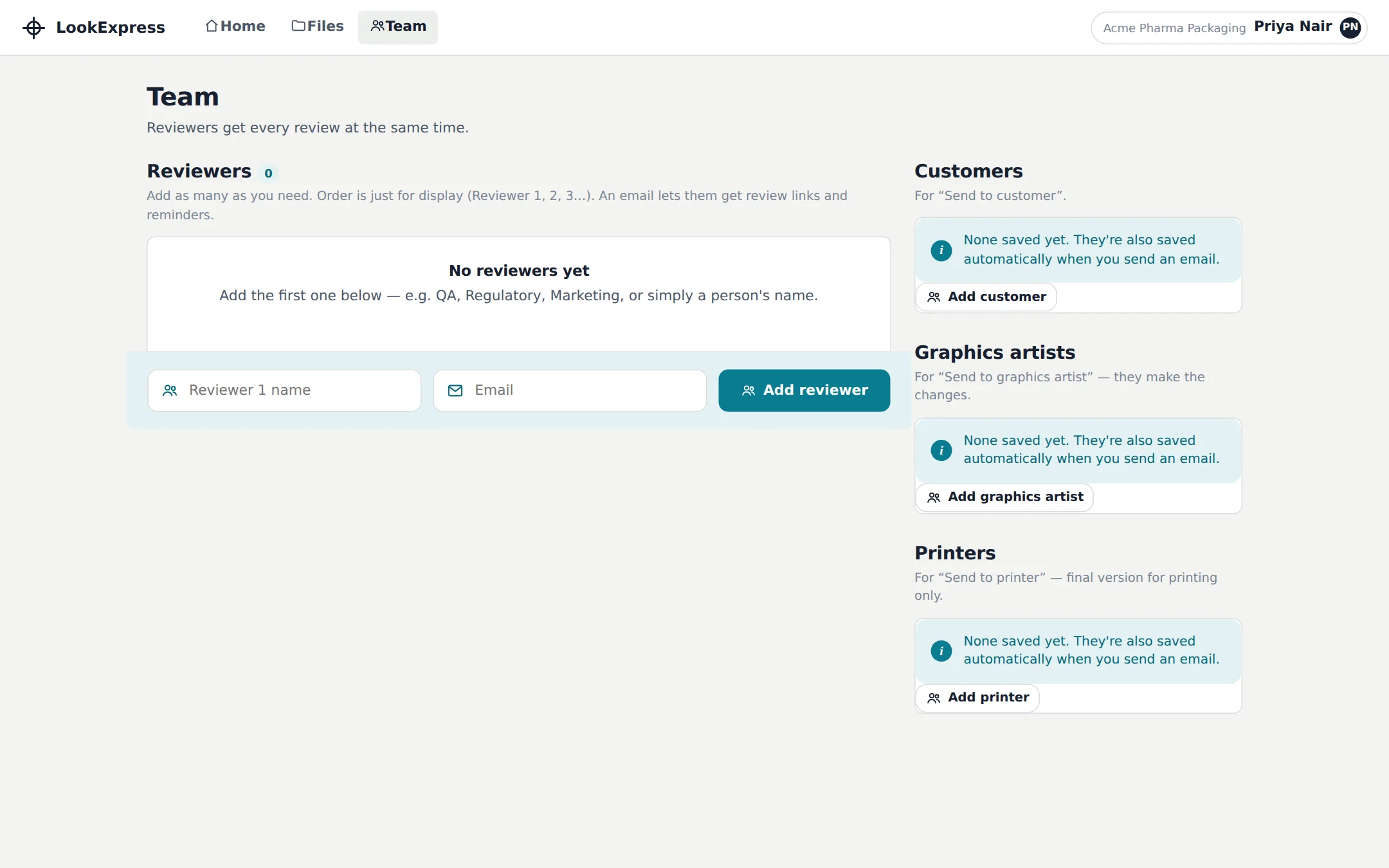
Invite coordinators and reviewers. Each person sees what they need to act on, and nothing is approved without the people you chose.
- Owner, coordinator and reviewer roles
- Reviewers see only what is waiting for them
- Customers approve through a link, no sign-up
The checks a packaging team actually needs.
Text and number checks
Strengths, dates, batch details and wording are read from the artwork and compared with the last version.
Barcode verification
Barcodes are decoded and checked, so a wrong or unreadable code is flagged before print.
Rules per document type
Cartons, labels and other document types each follow their own ruleset.
Customer approval link
Send the marked-up artwork to the customer. They approve or reject, and the decision is recorded.
Complete history
Every upload, decision and comment is logged with who did it and when.
Locked print version
Once sent for printing, the approved version is locked and cannot be changed by accident.
Stop checking artwork by eye.
Set up your workspace, invite your team and run your next artwork through a review you can trust.